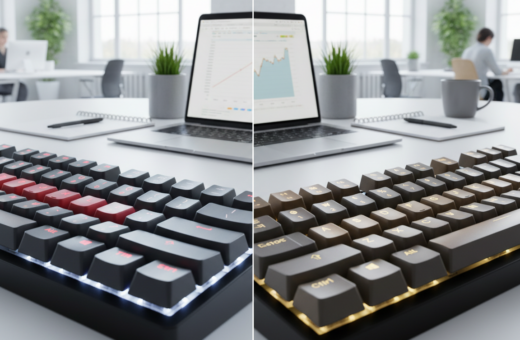
Clean desks and fast response are no longer mutually exclusive. Many professionals want a tidy setup while keeping a top-tier typing experience. The Keychron K2 is a popular 75% (84-key) mechanical keyboard that uses Broadcom’s Bluetooth 5.1 chipset to improve range and reduce delay.
Bluetooth setups can add a small input lag, typically around 30–40 milliseconds. Gamers often prefer dedicated gaming keyboards to avoid any latency, while most users value the freedom of wireless connectivity and neat cable-free design.
Choosing the right model means balancing build quality, battery life, tactile feedback from mechanical switches, and features like rgb backlighting or a wrist rest. Good choices boost productivity and keep the desk orderly without a big trade-off in performance.
The Appeal of a Wireless Mechanical Keyboard for Office Environments
Many teams now prefer compact tactile setups that keep desks tidy while boosting day-to-day typing comfort.
A wireless mechanical keyboard for office environments blends satisfying actuation with a clean workspace. Individual switches under each key give a clear click or bump that helps accuracy and pace.
These devices last tens of millions of presses, so they outlive standard rubber dome models. That durability often lowers replacement costs for businesses over time.
The customization options are strong. Users can swap keycaps, change switches, and pick layouts to match ergonomics or workflow. Extra features like programmable macros, adjustable tilt, rgb backlighting, and a removable wrist rest boost daily comfort and efficiency.
- Superior tactile feedback and longevity
- Customizable layout and keycap choices
- Cleaner desks with reliable battery life and stable connectivity
Understanding Input Lag and Wireless Connectivity
Not all wireless links behave the same; the tech behind them defines speed and stability. Choosing the right connection is critical when the user needs instant response, whether in intense gaming or fast typing sessions.
Bluetooth vs. 2.4GHz RF
Bluetooth offers easy multi-device pairing and long battery life. It is ideal for general use and clutter-free desks. However, Bluetooth-only designs can show noticeable latency in tight timing scenarios.
Proprietary 2.4GHz RF dongles narrow the gap with wired setups. Many modern models now include tri-mode options, letting users switch between Bluetooth, 2.4GHz, and wired USB as needed.
The Impact of Latency on Performance
Even a 30–40 millisecond delay can affect reaction times during competitive play. 2.4GHz RF tends to deliver lower input lag, which competitive players prefer.
Battery life must be weighed against performance. High-speed radio modes usually draw more power, so choosing a unit with efficient power management improves daily use without sacrificing speed.
- Pick 2.4GHz RF when low latency is essential.
- Use Bluetooth for flexible multi-device setups and longer battery life.
- Tri-mode gives the best balance of convenience and performance.
Essential Criteria for Selecting Your Next Keyboard
Smart shoppers focus on core specs that affect daily use and long-term value.
Switch type matters. To be a viable candidate, the unit must use genuine mechanical switches rather than rubber domes. That guarantees consistent tactile feedback and far better durability.
Connectivity options should include Bluetooth or a 2.4 GHz dongle. Reliable radio modes let users work untethered while keeping latency low when it matters most.
- Ergonomics: adjustable feet and a wrist rest reduce strain during long typing sessions.
- Build quality: a sturdy chassis resists daily wear and keeps keys aligned.
- Battery life: long runtimes reduce interruptions and clutter from charging cables.
- Customization: hot-swap switches, programmable keys, and swap-able keycaps let users tailor the experience.
- Layout & price: choose full-size, TKL, or compact to match workflow and compare cost vs. features for best value.
Aula F75 Wireless Mechanical Keyboard
The Aula F75 blends a refined case with practical features that punch above its price. It uses a gasket mount and five layers of foam to create a deep, thocky sound profile that many users prefer.
Build Quality and Design
Build quality is a highlight. Doubleshot PBT keycaps resist shine and keep legends sharp. The chassis feels solid, and a media knob offers quick access to volume and playback.
Switch Performance and Sound
Equipped with Leobog Reaper linear switches, the F75 registers a 45g actuation and 1.8mm pre-travel. The result is a light, fast feel that suits both gaming and daily typing.
Battery Life and Connectivity
A 4,000mAh cell delivers long runtime, reducing interruptions during extended use. The tri-mode system supports wired, 2.4GHz, and Bluetooth connectivity to match any setup.
- Gasket mount and foams for refined acoustics
- Leobog Reaper linear switches for speed
- Large battery and tri-mode options for flexible use
For a detailed hands-on take, see the Aula F75 review.
Filco Majestouch Convertible
The Filco Majestouch Convertible brings a no-nonsense, full-size layout to users who value reliability and a classic feel.
It is a 104-key unit that weighs about 2.7 pounds, giving it serious stability on the desk. The heavy build contributes to its reputation for excellent build quality and lasting performance.
This model uses genuine Cherry MX switches (Blue, Brown, Red, Black), so the typing experience stays consistent across long sessions. Two standard AA batteries power the unit and a 30-minute sleep mode preserves battery life between uses.
Connectivity includes Bluetooth and USB. Users who need a simple, durable layout will appreciate the dedicated numpad and no-frills design.
- Sturdy construction: stays put during fast typing or gaming.
- Replaceable batteries: easy upkeep and steady battery life.
- Cherry MX options: choose the switch that matches your feel.
iKBC CD87BT
iKBC’s CD87BT is an 87-key TKL that targets users who want solid build and simple multi-device switching. It pairs detachable USB-C with Bluetooth 3.0 and supports four distinct device profiles via Fn + F1–F4. That makes swapping between a desktop, laptop, or tablet fast and reliable.
Customization and Layout Options
The CD87BT ships with five Cherry MX switch choices so typists can pick clicky or linear feedback that suits their typing experience. Two AAA cells power the unit and deliver about three to four months of battery life under normal use.
Underneath, DIP switches let users change key arrangements and swap modifier keys to match Mac or PC layouts. A three-way cable gutter keeps the USB-C lead tidy and reduces desk clutter.
- TKL design: compact layout that saves space without sacrificing keys.
- Switch options: five Cherry MX types to tailor feel and response.
- Durability & features: heavy-duty chassis with N-key rollover and DIP switches.
Logitech G613
Logitech’s G613 targets players who demand a lag-free connection without sacrificing a full-size layout. It uses Lightspeed wireless tech to hit a 1ms report rate, making its performance indistinguishable from a wired setup.
The unit ships with Romer-G tactile switches rated for 70 million presses and a 1.5mm actuation point. That gives a quiet, responsive typing experience suited to both gaming and daily use.
The G613 adds six programmable G-keys on the left side to speed macros and shortcuts. Two AA batteries power the board and can last up to 18 months under typical use, reducing interruptions and upkeep.
Its built-in wrist rest is fixed and the full-size footprint needs desk space. Dual connectivity lets users switch between Lightspeed and Bluetooth, offering solid flexibility across devices.
- 1ms Lightspeed for near-zero input lag
- Romer-G switches with long lifespan and fast actuation
- Six programmable keys to streamline tasks in gaming and office workflows
Filco Majestouch Minila Air
The Filco Majestouch Minila Air is a premium 60% model that packs a tank-like build into a tiny frame.
Its heavy 1.5‑pound chassis gives the compact unit surprising stability. The dense construction keeps it planted during fast typing or light gaming.
The layout is unique: two Fn keys flank a 3u spacebar. This design enables quick access to layers and media once the user adapts to the spacing.
Filco offers several Cherry MX switches, so the Minila Air delivers consistent feel and long life. DIP switches on the back add limited programmability and let users swap modifiers to match workflows.
- Compact, durable design with solid materials and travel-ready weight.
- Non-standard key sizes and ABS keycaps with pad-printed legends; replacement options are limited.
- Includes dedicated arrow keys and a layout that favors space savings without losing core function.
Overall, the Minila Air is a strong option for professionals who want a portable, high-quality mechanical keyboard that balances form and function while keeping desk space minimal.
Varmilo VB87M
The Varmilo VB87M brings a durable, mid-size layout that suits focused work and light gaming. It is a tenkeyless model with a clean design that keeps desktop space free while staying fully functional.
The VB87M uses Bluetooth 4.0 and an internal rechargeable battery to remove the need for disposable cells. This setup gives reliable connectivity and simple charging without extra dongles.
Build quality is a standout. The rugged chassis resists daily wear and keeps keys aligned during long typing sessions. Users can pick Cherry MX or Gateron switches to match their preferred feel and actuation.
The TKL layout balances desk space and function, making the VB87M a good match for desks that need room but still demand full typing performance. Its understated styling and solid construction make it a trusted option for professionals and enthusiasts who value longevity.
- Premium TKL design that bridges compact and full-size boards
- Internal rechargeable battery with Bluetooth 4.0 connectivity
- Choice of Cherry MX or Gateron switches and durable keycaps
- Clean aesthetic that fits modern, clutter-free setups
Benefits of Mechanical Switches for Daily Productivity
A quality switch delivers immediate confirmation that a key press registered. That instant feedback helps keep work moving and lowers error rates. Professional users notice the difference during long typing sessions.
Tactile Feedback Advantages
Consistent tactile feedback gives a clear bump or click. This physical cue tells the user they hit the key, so they rarely overstrike.
That reliable response improves speed and accuracy. It also makes the overall typing experience more satisfying, which can reduce fatigue.
Durability for Heavy Use
High-quality switches are rated for tens of millions of keystrokes. They outlast rubber-domes and keep the feel steady over years of daily use.
Durability lowers long-term cost and keeps a single keyboard in service longer. Gamers and professionals both benefit from stable actuation and predictable performance.
- Steady feedback boosts accuracy and speed.
- Long lifespan prevents the mushy feel common in cheaper models.
- Linear switches offer smooth motion preferred by many gaming and typing users.
Ergonomic Considerations for Long Typing Sessions
A thoughtful typing setup reduces strain and helps maintain steady productivity during long days. A quality wrist rest supports the palms and keeps wrists neutral, which lowers the risk of repetitive strain injuries.
Adjustable tilt angles let users set a natural hand position. That simple change can cut wrist extension and reduce fatigue. Employees who adjust height and angle report a more comfortable typing experience and fewer breaks from soreness.
Choosing the right mechanical keyboard or model matters. Key spacing, the shape of the keycaps, and the actuation force of the switches all influence comfort. A lighter actuation helps users type with a gentler touch and eases long-term joint stress.
- Ergonomics matter: long sessions can strain hands and wrists.
- Adjustable tilt: promotes natural wrist alignment.
- Supportive wrist rests: prevent conditions like carpal tunnel.
- Layout & switches: key shape, actuation, and spacing shape comfort.
Investing in ergonomic features is a proactive step toward sustained productivity and long-term health in professional office environments. Proper setup lets users work longer with less discomfort and greater focus.
Tips for Maintaining a Clutter-Free Workspace
A tidy desk starts with simple systems that route cables and limit visual clutter. Short routines and the right gear make clearing space fast and repeatable.
Cable Management Strategies
Choose a primary strategy. The easiest way to reduce cords is to rely on a single connection mode when practical. Using an adapter that supports both wired and wireless modes gives flexibility without adding permanent cable chaos.
When a wired setup is needed, a built-in three-way cable gutter on the bottom of a keyboard keeps lines secure. That gutter prevents port strain and routes cables away from the main work area.
Other easy steps include adhesive clips, braided sleeves, and a slim surge strip tucked under the desk. A dedicated wrist rest and minimal peripherals keep the surface open for writing and review tasks.
- Prefer a wireless mechanical keyboard to remove extra cords and free desk space when mobility matters.
- Clean keycaps and the surrounding area regularly to prevent dust buildup and keep keys responsive.
- Pick a model with both modes so a backup wired connection remains available when battery or connectivity issues appear.
For tips on how shared setups boost productivity and creativity, see this guide on shared office spaces. A tidy workspace reduces stress and helps teams focus on the task at hand.
Conclusion
Choosing the right typing tool can change daily comfort and long-term productivity. ,
Investing in one of the best mechanical keyboards gives faster, more accurate typing and less fatigue. Durable switches and solid build quality make that investment pay off over years.
Whether a user prioritizes a wireless mechanical model, a compact layout, or low-lag performance for gaming, there are reliable options that match professional needs. Ergonomics, battery life, and layout choices shape how well a device fits the desk and tasks.
In short, a well-picked keyboard improves speed, cuts errors, and supports healthier hands at work. Use this guide to match features, keys, and connectivity to the daily routine and workflow.