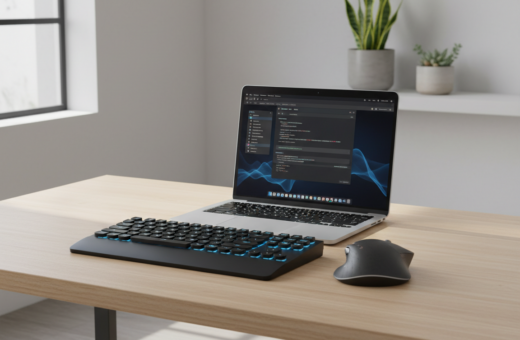
Many office professionals type for hours each day, often at more than 40 words per minute. This steady pace creates a large volume of repetitive motion that leads to real fatigue and strain. The effect shows up as soreness, slower output, and low energy by mid-afternoon.
They found that small, practical shifts made a big difference. Adjusting the keyboard position and altering short habits can help to reduce the grip on muscles and restore focus. Simple tips fit easily into an eight-hour day and improve comfort.
By changing the way they approach routine tasks, people reclaim time and energy. These steps help anyone in an office keep productivity high and avoid long-term problems. The following sections outline clear, usable strategies that make a measurable difference.
Understanding the Physical Impact of Typing Fatigue
Sustained computer use often causes a creeping ache in the wrists and neck. Small aches can signal larger problems if they persist. This section explains common signs and the risks of ignoring them.
Common Symptoms of Strain
Typing fatigue is the physical exhaustion that builds in the hands, wrists, arms, shoulders, and neck after many hours at a keyboard. Early symptoms include sore fingers, aching wrists, and tight forearm muscles.
Stiffness in the hands and wrists is a warning sign. Numbness, a burning feeling, or loss of grip are red flags that call for immediate rest.
The Risks of Ignoring Discomfort
Left unchecked, this discomfort can evolve into repetitive strain injuries, tendonitis, or carpal tunnel syndrome. Those conditions can take weeks or months to heal and may require medical care.
- Use the 20-20-20 rule: every 20 minutes look 20 feet away for 20 seconds to give eyes and posture a break.
- Take short breaks to ease tension in the back and shoulders and to let muscles recover.
- Stop and rest when stiffness or pain appears; delaying can make symptoms chronic.
Optimizing Your Workspace to Reduce Typing Fatigue at Work
Small alignment tweaks to a workstation often yield fast relief. A chair set so feet rest on a flat floor with knees at 90 degrees keeps the body balanced. Hips should sit level with the knees to support neutral posture.
Position the monitor so the top of the screen sits at or slightly below eye level. This simple screen angle cuts neck and shoulder strain. Place the keyboard at elbow level to keep the wrists in a neutral line.
- Set chair height so feet stay flat on a flat floor.
- Arrange keyboard mouse for comfortable hand and wrist alignment.
- Use a monitor angle that keeps the top of the screen near eye level.
- Follow a Pomodoro rhythm: break every 25 minutes to let muscles rest.
Consistent body position and small changes in setup can lessen daily discomfort and wrist strain. These practical tips help professionals in an office make a measurable difference in how they feel over the day.
Mastering Proper Typing Technique and Accuracy
A few precise changes in how someone uses the keyboard can cut strain and lift output within days. Good technique spreads effort across the hands and keeps shoulders, neck, and back more relaxed.
The Benefits of Touch Typing
Touch typing trains all ten fingers to share the workload. Skilled touch typists can hit speeds near 80 words per minute, which eases pressure on individual fingers and wrists.
Practicing for 30 minutes daily improves accuracy and lowers the need to look at the screen, saving time and mental effort.
Correcting Hand and Wrist Positioning
Keep the wrists off the desk and the palms neutral to avoid pressure on the carpal tunnel. Split keyboards like the Kinesis Freestyle or ErgoDox let the shoulders stay relaxed by separating the two halves.
Light keystrokes matter: they cut tension in the fingers and reduce long-term muscle strain.
Developing Consistent Practice Habits
Short, regular sessions build skill and habit. Aim for focused practice with brief breaks every few minutes to let hands rest.
“Good technique is simple to learn and powerful in its effects.”
- Use all fingers to distribute load and lower wrist pressure.
- Practice daily in short blocks to boost accuracy and speed.
- Favor light force on keys and keep wrists neutral to protect long-term health.
Leveraging Modern Tools to Minimize Repetitive Strain
Modern input tools let people give their hands a real break while keeping output high. Small upgrades in software and hardware change which muscles do the work.
Integrating Voice Dictation into Your Workflow
Voice tools like Voicy allow dictation at about 130 words per minute for $8.49 per month. That speed helps capture ideas without forcing fingers to press keys for long periods.
Mixing voice and manual input gives the wrists and fingers timed rest. It also cuts the total time spent on long drafts and notes.
- Use voice for drafts and long paragraphs to spare hands and lower finger pressure.
- Choose a compact keyboard such as the Solo X; its magnetic tilt strip lets users change the angle for better wrist comfort.
- Keep the mouse close to the body, or switch to a vertical mouse like the Logitech MX Vertical to ease forearm and wrist pressure.
“Changing the keyboard mouse setup is one of the most effective ways to ease repetitive strain.”
Conclusion: Sustaining Long-Term Comfort and Productivity
A few consistent habits protect the body during long hours at a keyboard. Mindful posture and regular breaks help keep neck and shoulders relaxed and keep wrist pressure low.
Small changes in technique and keyboard position make a measurable difference in how hands and fingers feel after many hours. Using the right tools and brief rest periods preserves energy and limits tension.
If symptoms persist, consult a medical professional to avoid chronic conditions such as carpal tunnel syndrome. For more on how layout affects comfort, see the keyboard layout study.
Consistent practice and proper gear will keep productivity high while protecting long-term health and minimizing pain.