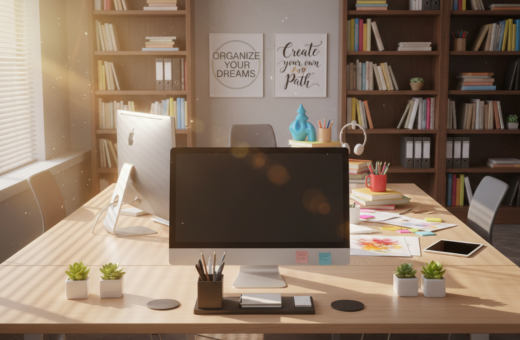
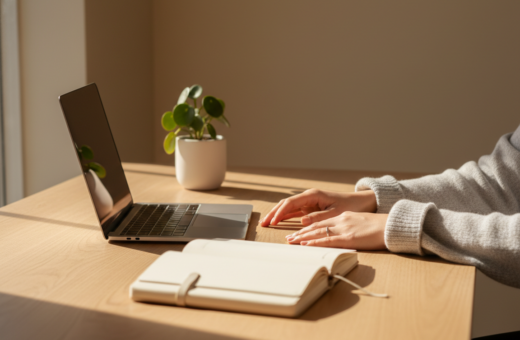
He discovered a striking change in his daily focus. Clearing half the items from the desk transformed the workspace into a calm office environment that invited deeper work. Stephen King’s tip to place a desk in the corner helped create a cave-like nook that reduced distractions.
Small adjustments made a big difference. Following Dr. Andrew Huberman’s advice, the monitor was raised to eye level by propping it on two books, which kept the screen at the right height and helped sustain energy. Jenny Lee’s 90-minute morning focus block became noticeably more productive.
The new setup forced a rethink of every item’s purpose. Less clutter meant easier transitions between personal and work computers and fewer accessories in the way. These practical tips show that a tidy space is more than aesthetics; it is a clear way to support sustained focus and better work.
The Psychological Impact of a Cluttered Workspace
A crowded surface often acts like a constant notification, tugging attention away from real work. A cluttered desk creates visual noise that pulls the mind toward low‑value tasks. Over time, this drains mental energy and makes it harder to sustain deep focus.
Research shows that a minimalist desk environment reduces mental fatigue by limiting competing visual stimuli. When fewer items vie for attention, the brain spends less effort filtering distractions.
Clearing the workspace gives immediate clarity. He or she can start projects with less friction and reach creative states faster. Intentional design transforms a cluttered desk from a source of low‑grade frustration into a support for uninterrupted work.
- Visual noise: constant small distractions that erode attention.
- Mental clarity: a clear environment helps people enter deeper creative states.
- Sanctuary effect: a thoughtfully arranged area encourages consistent focus and calm.
Establishing Your Minimalist Desk Productivity Foundation
They arranged zones so each tool serves a clear task and nothing competes for attention. This approach starts with choices that favor function over decoration. It makes the workspace easier to use and keeps the mind on the work at hand.
Defining the Minimalist Aesthetic
A minimalist desk setup focuses on furniture that gives every tool a place. Choose pieces that combine surface and storage so notes and accessories are reachable but out of sight when not needed.
Practical criteria include depth and zoning. Surfaces under 60 cm (24 in) can force poor arm and keyboard positioning. For those who need room for tablets or notebooks, the Aero Pro Wing-Shaped Standing Desk (72″x23″) creates distinct zones for primary work and secondary tools.
The Benefits of a Clear Surface
Keeping a clear surface reduces visual noise and speeds transitions between tasks. It saves time when he or she searches for notes or tools.
- Health: Follow Cornell University Ergonomics Web tips to keep posture neutral.
- Clarity: Integrated storage keeps essentials at hand without crowding the space.
- Flow: A zoned layout helps finish focused work blocks in fewer minutes.
Ergonomic Principles for Sustained Focus
Ergonomics shapes how long someone can focus without tiring or aching. Good posture and sensible tool placement stop neck and back strain and support attention across the workday.
A few core principles make the workspace comfortable and resilient. OSHA stresses neutral body postures to prevent musculoskeletal disorders. When the body is aligned, the mind slips into longer, steadier work blocks.
Positioning Your Monitor for Eye Level
Place the monitor about an arm’s length away, with the top of the screen at or slightly below eye level. This encourages a natural downward gaze of roughly 10–20 degrees and reduces neck load.
When the desk height is correct, elbows rest at a 90–100° angle and wrists stay neutral. Add a Carbon Fiber Dual Monitor Stand to lift screens and free surface space.
- Move often: follow Cornell’s 20-8-2 guideline—sit 20, stand 8, move 2 (minutes) each half hour.
- Light and placement: proper lighting and screen position cut eye strain and reduce slouching.
- Small shifts: regular movement protects the back and keeps focus throughout the day.
For a practical setup guide, see this office desk setup to align tools and preserve comfort in shared desks and home workspace.
Optimizing Your Workflow Through Intentional Decluttering
Intentional decluttering turns scattered tools into a streamlined system that supports real work. This approach keeps every item and cable in a known place so small interruptions no longer chip away at focus.
On-Desk Organizers
On-board organizers give pens, notepads, and chargers a short, consistent home. Use trays and shallow drawers to hide rarely used items and keep daily tools within reach.
- Choose modular organizers to adapt as tasks change.
- Integrated storage helps convert a cluttered desk into a tidy workspace.
- Review items weekly to remove things that no longer belong.
Laptop Stands for Space
Raising a computer with a stand frees surface area and creates a better viewing angle. Laptop stands pair well with external keyboards and help keep primary tools accessible.
Managing Cables
Give each cable a route and slack. For standing desks, allow 30–40% extra cable length to cover the range of motion and avoid pulls.
The Aero Pro includes robust cable management that prevents snagged cords from dragging gear off the surface. Small clips, channels, and a single power strip make a big difference.
Selecting Essential Tools for a Clean Environment
Prioritizing only what is needed turns the work area into a tool, not a trap. A focused selection of essentials helps reduce clutter and keeps the workspace clear for real work.
Start with three categories: organizers, stands, and cable solutions. Each should save space, cut distractions, and protect posture. Thoughtful choices make the room more usable while keeping items within reach but out of sight.
On-Desk Organizers
The Bloc: Eco-Friendly Desk Organizer System uses renewable cork to corral pens and small accessories. It keeps items from spreading across the surface and creates a neat place for notes and daily essentials.
Laptop Stands for Space
The Lift Whiteboard Laptop Stand raises a computer to a healthy height while adding a built-in whiteboard for quick notes. The Slope™ Desk Whiteboard fits between keyboard and monitor for short jots without taking extra space.
Using a Raise™ Monitor Riser or a laptop stand lifts the screen to eye level. This reduces neck strain and creates extra room under the monitor for supplies and storage.
Managing Cables
Dedicated trays and clips route cords out of sight and prevent tangles. A tidy cable path keeps the surface safe and free from accidental pulls that can disrupt work.
- Use a single power strip to centralize plugs.
- Allow slack for height changes to protect connectors.
- Keep chargers in an under-riser tray to save space.
A simple ZZ-plant adds life without crowding the surface and gently signals breaks outdoors. By combining these solutions, they create a minimalist desk setup that is both functional and calm.
For a quick guide to arranging these essentials, see this sample setup page to map tools and maintain a clutter-free environment.
Incorporating Movement and Dynamic Posture
Brief posture changes throughout the day keep muscles engaged and prevent the slow drift into stiffness. Small, regular movement helps maintain good posture and reduces strain on the lower body.
Balance tools and simple accessories make it easy to stay active. The Level Balance Board raises energy expenditure by 19.2% compared with sitting. A Mayo Clinic study found 65% of users were very satisfied with balance boards for standing work.
They can also use a mobile footstool with wheels to shift weight and change stance while standing. These quick shifts protect the back and lower spine and support alertness and productivity throughout day.
Practical habits help most: change position every few minutes and alternate sitting and standing. Over time, small motion breaks cut fatigue and keep desks from becoming static traps.
- Move often: short shifts every few minutes stop stiffness.
- Use tools: balance boards and wheeled footrests encourage dynamic posture.
- Reduce strain: varied stance protects the back and keeps focus for longer time.
Lighting and Ambiance for Deep Work
Ambient and task lights together create a visual hierarchy that guides the eye to what’s important. Proper lighting supports long focus sessions and reduces eye strain during the day. He or she can work longer when the room and the work surface are balanced in brightness.
Choose a neutral color temperature—light that mimics daylight reduces eye fatigue and keeps the brain alert. If a window is available, position the desk to take advantage of natural light for mood and sharper focus.
Choosing Natural and Task Lighting
Task lighting should illuminate work areas without washing the whole room in glare. An adjustable lamp aimed at papers or a keyboard gives control without adding clutter.
LED light strips behind the monitor add soft ambient glow and can reduce perceived contrast between screen and room. Make sure they are bright enough to prevent screen glare and placed at monitor level to protect the eye.
- Natural light: best for mood and sustained focus when available.
- Neutral lighting: mimic daylight for afternoons of steady work.
- Task lights: focused illumination for specific tasks and reduced distractions.
“Good lighting is not decorative—it’s a fundamental tool that protects the eyes and supports sustained attention.”
Conclusion: Maintaining Your Minimalist Workspace
A quick end-of-day routine preserves the calm surface and clear headspace for tomorrow. By taking a few minutes to stow notes, tuck cables, and reset the primary tools, he or she keeps the workspace ready for focused work.
Keep the monitor at eye level and remove unnecessary items from the surface. A steady setup with an organised screen and tidy area supports sustained focus and better results.
Consistency matters. Treat the minimalist desk as a tool: clear physical clutter, declutter open tabs, and reset the layout nightly. This simple habit protects well-being and helps them produce their best work in a calm, functional desk environment.