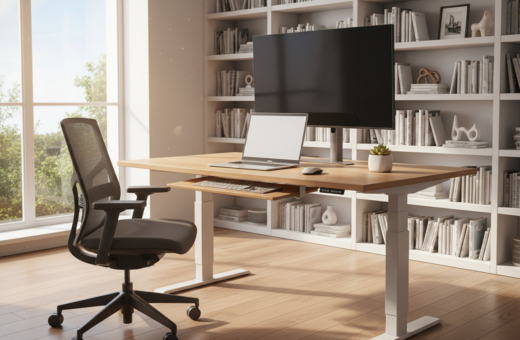
The way a work area is arranged shapes how someone spends their day. A thoughtful setup cuts clutter and supports clear focus. Research shows visual clutter can sap attention and lower performance by up to 40%.
Adjustable standing desks that range from 24 to 50 inches let users shift posture and reduce strain. Dual monitors can boost efficiency by about 30% for multitaskers. Simple cable management often clears up to 80% of visible mess.
Whether one prefers symmetry or an off‑center design, the goal is the same: create an efficient workspace that fits tasks and personal flow. Good lighting, ergonomic furniture, and designated places for tools cut distractions and help preserve energy through the day.
Small design changes restore time and support better health. This section previews how balanced and asymmetrical arrangements each influence work, focus, and overall efficiency.
The Impact of Desk Layout Productivity on Cognitive Performance
Visual chaos on a work surface drains mental resources faster than most people realize.
Research links visible clutter to drops in cognitive performance of up to 40%. When the environment competes for attention, complex tasks take longer and errors rise.
The Science of Visual Clutter
Clutter fragments attention and increases mental switching costs. The brain spends time sorting visual noise instead of solving problems.
- Clutter reduces sustained focus and makes task switching slower.
- Limiting personal items and using storage tools frees mental bandwidth.
- A tidy space acts like a command center where tools live within reach.
How Positioning Affects Mental Fatigue
Poor positioning forces twisting and reaching that quietly drains energy over the day. Proper monitor and furniture placement cut physical strain.
“A smart setup keeps the eyes comfortable and posture neutral, which helps maintain energy and focus.”
Understanding Symmetrical Workspace Design
Symmetry in a work area gives the eye fewer surprises, which eases concentration. A balanced workspace uses paired objects, matched lighting, and proportional furniture to create calm.
Mirrored placement of monitors and accessories produces a clean, professional look for a home or office. When items align, the brain spends less energy scanning the space and more on focused tasks.
Rectangular desks and simple desks setups fit this approach well. They make positioning predictable and keep tools within reach.
A symmetrical design often encourages minimalism. Removing excess items reduces visual noise and supports deeper effort over long periods.
Research in office design links symmetry to lower subconscious vigilance. A predictable environment helps people sustain steady work and a reliable daily routine.
“A stable arrangement can free mental bandwidth for complex thinking.”
- Balanced lighting calms the eye.
- Paired objects signal order.
- Consistent furniture placement supports flow.
The Benefits of Asymmetrical Desk Arrangements
Asymmetrical arrangements let people carve distinct work zones that match real tasks. This approach uses turns, curves, and wings to separate activities without extra furniture. It suits busy home and office setups where space is limited.
Creating Functional Zones
L-shaped surfaces excel for multitasking. One wing holds computer gear while the other houses writing, reference materials, or secondary devices.
Curved tops wrap the workspace around the body. Designers and editors benefit because monitors and tools stay within arm’s reach, cutting repetitive reaching and shoulder strain.
- Smart storage like drawer dividers and vertical file holders keeps zones tidy and improves focus.
- Cable management—think 40-inch sleeves and under-desk trays—reduces hazards and visual noise.
- Small plants add air benefits and a calmer atmosphere, which supports sustained work.
“An asymmetrical setup often lets users pivot between tasks without breaking their cognitive flow.”
Ergonomic Foundations for Any Desk Setup
Good ergonomics start with small adjustments that keep the body comfortable all day. These basics apply to any workspace and support long-term health and steady focus.
Ideal Desk Height
Height is correct when the user can keep elbows at a neutral angle while typing. That position reduces shoulder and wrist strain and supports better posture.
A footrest adjustable from 4 to 12 inches helps those who sit for long stretches. For those using a standing desk, an anti-fatigue mat improves circulation and comfort.
Monitor Positioning
Screens should sit about an arm’s length away and at eye level. A monitor stand that raises the screen 4 to 8 inches often brings the correct eye level and cuts neck strain.
Placing the screen slightly below the top of the brow helps the eyes rest naturally and reduces downward tilt.
Keyboard and Mouse Alignment
An ergonomic keyboard with a 10-degree split and a mouse sized for hands of 7 to 9 inches keeps wrists neutral. Neutral wrists lower the risk of repetitive strain injuries.
Align input devices so forearms are parallel to the floor. This simple change supports comfort and boosts daily productivity.
“Ergonomics fits furniture to the body so people can work longer with less fatigue.”
- Ergonomics is central to a high-performance setup and long-term health.
- Proper positioning of screen, keyboard, and chair reduces strain and improves focus.
- Combine ergonomic accessories with good lighting and furniture choices for lasting comfort.
Managing Visual Clutter to Enhance Focus
Small daily rituals can turn a chaotic work area into a calm, efficient zone. A five-minute cleaning routine each morning keeps the surface clear and reduces stress throughout the day.
Use organizers with compartments sized for items up to 12 inches so tools and papers have a home. Moving reference materials into trays or drawers keeps the main space free for active tasks.
Simple cable management—clips, under-mount trays, and short sleeves—cuts visual noise from tangled cords and keeps screens and monitors tidy. Plants like pothos add softness and help air quality without creating mess.
- Sound panels can absorb up to 70% of ambient noise, making a quieter zone in busy offices.
- Noise-cancelling headphones that reduce about 30 dB help sustain deep focus.
- Minimal setups photograph well and convey a professional presence.
“Order on the outside often encourages order on the inside.”
By dedicating minutes each day to clearing clutter and using smart storage, the environment supports sustained focus and saves time for real work.
Integrating Technology and Cable Management
A thoughtful tech plan prevents cables from stealing focus and time.
Keep tech centralized so tools and storage live in predictable places. Using cloud storage with 1TB capacity makes files available whether someone is in a remote office or the main workspace.
Good cable choices matter. 40-inch cable sleeves and clips reduce trip hazards and keep the area safe when a standing surface moves up and down.
Mounts and arms let monitors adjust without shifting the whole desk setup. That preserves the preferred lighting and keeps screens at eye level.
Software helps too. Project management tools can lift task efficiency by about 25%, while time-tracking apps help allocate hours precisely.
- Pick wireless keyboards and mice to cut visible cords.
- Use a UPS for surge protection and uptime during important work.
- Plan ventilation for power-hungry equipment to avoid overheating.
“Centralizing technology and storage creates a functional, reliable environment ready for demanding work.”
The Role of Lighting and Biophilic Elements
The right mix of light and plants directly influences energy, comfort, and task performance.
LED bulbs that mimic daylight (5000–6500K) minimize eye strain and keep a workspace crisp and clear. Adjustable lamps with dimmer controls let users tune brightness from 0–100% and avoid reflections on the monitor.
Biophilic design adds natural elements such as wood surfaces and greenery to reduce stress and sharpen thinking. Snake plants, for example, can remove toxins like formaldehyde and improve air quality by about 30%.
- Combine window light with task lamps to keep the desk setup steady through the day.
- Position task lights to the side to prevent screen glare and reduce eye fatigue.
- Pair plants with nearby natural light to boost mood and sustain energy.
“A well-lit workspace with living elements becomes an energizing ecosystem that supports both health and work.”
For deeper reading on biophilic benefits and workplace well‑being, see biophilic design benefits.
Tailoring Your Workspace to Specific Professional Tasks
Different roles require tailored setups to support daily workflows and reduce friction.
Start by mapping core tasks and the tools each one needs. A programmer, designer, or trader often benefits from a dual monitor arrangement because multiple screens reduce eye strain and speed context switching.
Creative, gaming‑inspired workspaces may use RGB lighting and high‑refresh monitors to aid color work and immersion. Executives favor premium materials and a meticulously organized area to project authority during client meetings.
- Tech power users should prioritize cable management and extra screen real estate for editing or analysis.
- Standing configurations help those who want to cut sitting time and reduce strain over the day.
- Minimalist setups serve anyone who needs fewer distractions to maintain focus.
Across roles, proper monitor height at eye level and controlled lighting protect the neck and eyes. By aligning design choices with actual tasks, the office desk becomes an invisible support that smooths the workflow.
Assessing Your Personal Workflow Needs
Small experiments with position and timing often reveal large gains in task flow and comfort.
They should start by tracking when focus dips during the day. Using planners with hourly slots or reminder apps can improve time allocation by about 20%.
The Pomodoro Technique—25‑minute intervals—works well for complex tasks. It creates clear work sprints and short recovery breaks that preserve energy.
Ergonomics matters. She or he should check posture, monitor height, and chair position to reduce strain and boost comfort.
- Mix sitting and standing intervals to prevent fatigue and sustain energy.
- Place a hydration station (32 oz bottle) and healthy snacks like a 1 oz serving of nuts nearby.
- Regularly test monitor positions and reorganize storage to find the most seamless setup.
“The best arrangement is the one that disappears beneath your workflow, letting you focus on tasks.”
By combining time management and simple ergonomic checks, people tailor desks and tools to their work. That alignment makes the day smoother and supports higher output without extra effort.
Conclusion
A few targeted changes can turn an ordinary workspace into a reliable engine for daily work.
Building a productive environment is a journey that blends ergonomics, clear organization, and intentional design to support professional goals.
Whether someone chooses a symmetrical or asymmetrical layout, the aim is the same: match the space to how they think and move. Small upgrades — a footrest for posture, a plant for air quality, better cable routing — add up to measurable gains in productivity.
By managing visual clutter and aligning technology, they can make a lasting, comfortable area for focused work. Now that the recipe for a more efficient desk setup is clear, it is time to revamp the workspace and supercharge the workday.