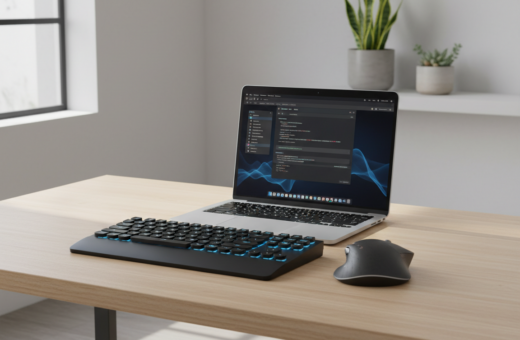
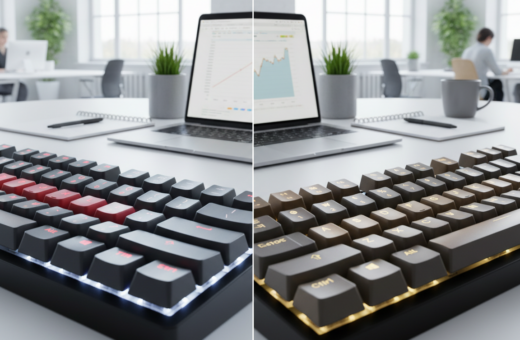
Switching to low-profile mechanical keyboards reshaped how they work and type each day. The change cut wrist strain and sped up the typing experience. It also tightened the desk look with thinner layouts and sleeker design.
They noticed faster actuation from shorter switches, which helped with both gaming and long writing sessions. Models like the Corsair K100 Air and Lofree Flow show that modern options balance performance and build quality.
Wireless models such as the Logitech G915 add clutter-free setup and long battery life. For budget-conscious users, the Redragon K632 PRO proves that solid feel and responsive keys need not cost a lot.
In short, the move offered better ergonomics, cleaner design, and snappier feedback—small shifts that saved time and made long hours more comfortable.
The Evolution of My Typing Workflow
A move to sleeker designs reshaped both desk layout and the rhythm of their typing.
Modern mechanical keyboards emphasized a thinner silhouette and faster actuation. The change cut travel distance and made long sessions feel less tiring.
They traded bulky frames for compact layouts that freed up workspace. This allowed a minimalist setup that still handled serious gaming and heavy writing without compromise.
Responsiveness now hinges on refined switches and premium keycaps. These parts define the tactile feel and keep the typing experience crisp across tasks.
Many professionals adopted these options to improve ergonomics and daily output. As demand grew into 2025, makers refined internals to balance a premium feel with portability.
For context on where this trend is heading, read the 2026 coding keyboard landscape.
Understanding the Low Profile Mechanical Keyboard Productivity Advantage
Shorter travel on newer switch types translates into quicker, more consistent key registration across long sessions. This change matters for anyone who types or handles frequent data entry.
The primary gain comes from reduced actuation distance. Keys register sooner, so users hit targets with fewer overflows and less finger strain.
Actuation Speed
Shallower actuation points mean less force is needed to record a press. That helps maintain a higher words-per-minute pace without extra effort.
Reduced Finger Fatigue
By lowering required force, modern mechanical switches cut the wear of long sessions. The Keychron K3 (Version 2) shows how a 75% layout can pair compact design with satisfying tactile feedback.
- Ergonomic design supports a neutral wrist position for extended work.
- Options like RGB backlighting and wireless connectivity keep style from hurting function.
- Consistent feedback from quality keycaps and switches reduces typos during rapid input.
Ergonomic Benefits for Extended Work Sessions
A compact, shallow-layout design encourages a relaxed hand position for marathon work sessions. This setup supports a neutral wrist angle and lowers strain over long stretches of typing.
Mechanical keyboards and slimmer boards cut the reach between hands and mouse. That reduces arm travel and helps maintain focus over more time.
“Choosing an ergonomic device that fits the desk is a proactive step toward long-term comfort.”
The flat design reduces wrist bend, a key factor in preventing repetitive strain. High-quality keycaps give a stable feel under fingers and improve the overall typing experience for writers and developers.
- Promotes a neutral wrist posture for eight-hour shifts.
- Minimizes adjustments so the user stays in flow.
- Allows natural mouse placement to cut arm travel.
- Relaxed hand posture eases tension.
- Tactile switches balance comfort with feedback.
- Compact design preserves desk space and mobility.
Comparing Low Profile Switches to Traditional Mechanical Options
The comparison highlights clear trade-offs between modern slim switches and classic, deeper-travel units. Readers evaluate travel distance, tactile feedback, and sound to choose the best option for work or play.
Travel Distance
The Corsair K100 Air stands out with exclusive Cherry slim switches that register earlier. That shorter actuation reduces the distance a finger must move.
Traditional mechanical options usually offer more travel. Some users prefer that deeper press for deliberate typing or heavy gaming sessions.
Tactile Feedback
Slim switches often trade strong tactile bumps for a quicker, lighter feel. The Logitech G915 pairs slim switches with a TKL layout that many gamers appreciate.
For those who want swap and tune, hot-swappable options let users mix switches without buying a new unit.
Sound Profiles
Sound tends to be quieter in modern slim designs. The Asus ROG Falchion RX uses dual-layer dampening to keep noise low while preserving performance.
- Speed vs feel: choose faster actuation or deeper travel based on use.
- Durability: most premium builds include aluminum plates for lasting strength.
- Performance: features like a 1000Hz polling rate keep competitive play smooth.
Impact of Form Factor on Desk Space and Portability
A travel-friendly 60% option meant the user could pack a high-performance board into a commuter bag. The NuPhy Air60 V2, at under 500g, highlights how compact choices improve mobility for professionals on the move.
Smaller footprints free desk area by removing unnecessary bulk. That extra space lets users add a larger mouse surface or tidy cables for a cleaner work zone.
Many gamers prefer a TKL layout because it opens up wider mouse travel during intense matches. For others, 60% or 75% layouts keep essential keys within reach and can improve the typing experience.
Detachable cables and strong wireless connectivity make these options easy to move between home, office, and travel. Users get both compact design and the performance they expect from quality switches and keys.
- More desk room for peripherals and ergonomic placement.
- Lightweight boards fit into laptop bags without bulk.
- Choice of layouts balances function and space savings.
The evolution of mechanical keyboards shows you do not need a massive device to keep comfort and high-level performance at work or play.
Essential Features for Professional Performance
Connectivity and endurance are central to pro-grade boards. Professionals need a stable link for remote meetings, gaming sessions, and long typing blocks. Two main modes deliver that: 2.4 GHz for low latency and Bluetooth for flexible multi-device use.
Wireless Connectivity and Battery Life
The Corsair K100 Air shows how 2.4 GHz and Bluetooth can coexist to serve different needs. A stable 2.4 GHz connection keeps the polling rate steady for competitive gaming, while Bluetooth handles mobile and laptop switching.
The Keychron K3 (Version 2) supports switching between three devices, which saves time when moving from a desktop to a laptop or tablet.
- Long battery life means fewer interruptions and less charging anxiety.
- Customizable RGB can signal battery status or active profiles.
- Dedicated media keys and volume wheels keep focus during deep work.
- Software-driven remaps and macros tailor performance to specific apps.
Reliable performance now matches the expectations set by larger designs. For a practical look at trade-offs and care tips, see this guide on features and challenges.
Top Contenders for Your Next Setup
The top contenders blend sleek construction, reliable connectivity, and switch variety to suit varied workflows.
Lofree Flow stands out as a 75% wireless option with a premium aluminum build and hot-swappable switches. It suits users who want tactile or linear switch choices in a compact layout.
Logitech G915 remains a favorite for gamers, offering fast wireless connection and a refined design that fits high-end setups. Its low actuation and slim frame help keep hands close to the desk.
Corsair K100 Air targets users who demand high performance. It pairs a premium typing experience with an ultra-high polling rate for competitive play.
Redragon K632 PRO is the best budget pick. Its 3-mode connectivity—wired, Bluetooth, and 2.4 GHz—plus a compact 60% layout delivers solid value.
Keychron K3 (Version 2) suits professionals who need multi-device Bluetooth switching and a reliable, compact board for daily typing.
- Each option offers different switch choices for linear, tactile, or clicky feedback.
- Consider layouts, dedicated media controls, and battery life when choosing.
- These contenders prove you can improve the typing experience without sacrificing design or portability.
Overcoming the Learning Curve
Adapting to a new slim board often means re-learning where keys land and how hands move. That adjustment can take a few days of steady use.
Start small: brief typing sessions build speed without fatiguing wrists. Practicing with typing apps helps users learn a new layout and the placement of function layers.
Shorter travel on modern switches can feel odd at first. The tactile response, however, guides fingers to register presses without needing to bottom out.
- Use high-quality keycaps for consistent surface feel and fewer errors.
- Give hands time to adjust to a flatter design and expect mild wrist soreness that eases with time.
- Try alternate layouts or remaps if certain keys remain awkward.
They should remember the short learning period is an investment. After the initial adjustment, typing speed, comfort, and even gaming accuracy typically improve.
Conclusion
A carefully chosen compact board often turns into the quiet hero of a streamlined desk. For those exploring low-profile mechanical keyboards, the shift can bring faster typing and a cleaner setup without sacrificing feel.
By picking the best low-profile options, users balance comfort, speed, and elegant design. Standouts such as the Corsair K100 Air and Logitech G915 showcase what premium engineering delivers for gaming and long typing sessions.
Even on a best budget plan, there are boards that offer solid switches and satisfying keys. The right design reduces strain and improves the overall typing experience, so professionals and gamers alike can work and play longer with less fatigue.