Good placement of lights can transform a home office into a high-performance workspace. They shape glare, shadows, and contrast, all of which affect how easily someone reads the screen and stays alert.
Simple changes — like where a lamp sits or how a monitor faces a window — cut eye strain and keep productivity steady. Cornell University research finds access to natural light boosts productivity by about 40 percent, so day exposure matters.
Balancing ambient lighting and task lighting prevents harsh shadows and reduces contrast with the screen. Adjusting monitor position relative to a light source helps minimize glare during long computer work sessions.
For practical tips and target brightness guidance, see the BenQ guide on best home office setups: best home office lighting for computer. A well-tuned setup keeps eyes comfortable and supports sustained deep work.
The Biological Impact of Workspace Lighting on Focus
Light in a workspace acts like a biological cue, telling the body when to wake up and when to wind down. This signal alters hormones that shape alertness and the ability to sustain long periods of deep work.
The Role of Circadian Rhythms
Natural light resets the circadian clock by suppressing melatonin and raising cortisol in the morning. This process helps people stay alert during typical work hours and sleep better at night.
How Light Signals Energy
Color temperature and brightness tune the brain’s expectation of activity. Cooler, higher-temperature bulbs mimic morning sunlight and boost productivity. Warmer tones at the end of the day help reduce strain and signal rest.
- Access to windows and well-placed task lighting lets natural light regulate energy without creating harsh screen glare.
- A Cornell study found that workers with better daylight in their workspace slept longer and performed more efficiently.
- Replacing old bulbs with cooler options and keeping steady exposure across the day reduces mid-day fatigue and eye strain.
Optimizing Desk Lighting for Focus and Productivity
Choosing the right lamp and settings can make long work sessions less tiring and more productive.
The right desk lamp should match task needs. General computer work typically needs 450 to 700 lumens to light the area without causing screen glare.
Reading and writing benefit from stronger light. Aim for 700 to 1,000 lumens when clarity matters to reduce eye strain.
Office standards differ by task. Typical offices require about 500–700 lux, while detail work may need 1,000–1,500 lux to support high productivity.
- Select an LED desk lamp with adjustable brightness and color temperature to match each task.
- Combine task lighting with ambient lighting to keep contrast steady at the monitor and screen.
- Choose lamps with dimming and temperature options so the workspace adapts from reading to computer work.
Proper task lighting and the right lamp setup keep the eye comfortable and help sustain productive deep work.
Understanding Color Temperature and Brightness Settings
Color temperature and brightness are the two controls that define a productive workspace mood. Kelvin measures color tone while lumens measure the total light output. Together they determine how well someone sees and how alert they feel.
Defining Kelvin and Lumens
Kelvin (K) labels a lamp’s color temperature. Lower K values feel warm and cozy; higher values look cool and crisp.
Lumens tell how bright a bulb is. Higher lumens light more area and reduce the need to strain the eyes.
Choosing Cool White for Alertness
Cool white in the 5000K–6500K range helps people stay alert during intense computer work and boosts productivity. Neutral tones between 3500K and 4100K work best when reading or writing, reducing eye strain while keeping comfort.
Adjusting for Time of Day
Changing brightness and color across the day prevents fatigue from static settings. An LED desk lamp makes switching color temperatures quick and efficient.
- Use cool 5000K–6500K for concentrated work and tasks that demand high alertness.
- Switch to 3500K–4100K for reading or relaxed writing to cut glare and reduce strain.
- Modulate lumens so the monitor shows minimal reflections and shadows stay soft.
“Match color temperatures and brightness to the task and the hour to support sustained work and protect the eyes.”
Strategic Placement of Task Lighting
Strategic task light placement keeps visual clutter low and lets attention stay on the work at hand. Small changes to lamp position reduce shadows and limit glare on a monitor or paper.
Avoiding Shadows and Glare
Place a desk lamp at roughly a 45-degree angle to the dominant hand. This angle prevents shadows on keyboards and notes and improves visibility during typing or writing.
Balance task lighting with ambient light so the room feels even. That reduces contrast between the screen and surrounding space and cuts eye strain.
- Use an adjustable LED desk lamp to aim light and control brightness and color temperature.
- Avoid direct beams onto the screen to prevent glare and reflections that tire the eyes.
- Position desk lamps so the task light anchors the work zone and helps the brain lock into the task.
- Combine ambient lighting and task lighting options to minimize shadows and visual tension during long work sessions.
“A well-placed task light protects the eyes and keeps the workspace comfortable for sustained computer work.”
Balancing Ambient and Natural Light Sources
A layered mix of window light and room lamps keeps the space lively and steady across the day. Natural sunlight boosts serotonin, which improves mood, energy, and clear thinking during analytical work.
Layering ambient lighting with task sources prevents harsh contrast between the monitor and surrounding surfaces. This reduces eye strain and makes long sessions easier to sustain.
Design the workspace so brightness stays soft and even across the room. Use floor lamps or adjustable lamp heads to fill dark corners and keep the eye from constantly adjusting.
- Mix window sunlight with steady bulbs to keep energy consistent as daylight changes.
- Choose bulbs and fixtures that maintain color and temperature across sources.
- Layer ambient light and targeted task lighting to create a professional, inviting setup.
“Balanced sources of light and ambient lighting help maintain energy, mood, and sustained productivity.”
Essential Ergonomics for Your Computer Setup
Small posture and monitor changes prevent neck and eye fatigue during intensive computer work. Good ergonomics pair monitor height and targeted light to reduce strain and sustain productivity.
Monitor Positioning
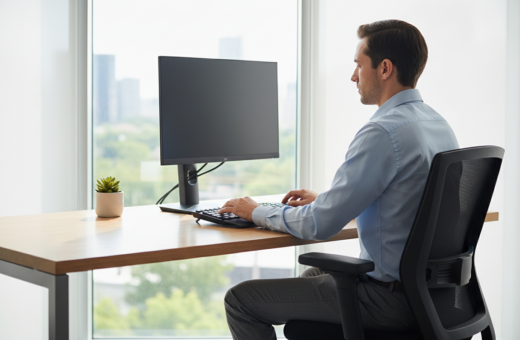
Keep the screen 20 to 40 inches from the eyes to preserve a natural neck angle. This distance reduces neck tension and helps maintain steady attention during long hours.
The top of the monitor should sit just below eye level. That placement supports a straight-ahead gaze and lowers the risk of upper‑neck discomfort.
Reducing Eye Strain
Minimize glare and harsh shadows by adjusting a desk lamp and room lights. Use an LED desk lamp with a flexible arm to aim light away from the screen and toward the task area.
- Proper monitor positioning (20–40 inches) cuts neck strain and improves visual comfort.
- Adjust the lamp to prevent glare on the screen, a common source of eye strain.
- Keep the monitor top slightly below eye level to support longer work hours without fatigue.
- Combine ergonomic placement and steady light to create a professional, healthy workspace.
“Ergonomic lighting and monitor placement work together to protect the eyes and sustain productive computer work.”
Professional Lighting Techniques for Video Conferencing
Good video calls start with even, flattering front light that keeps facial features clear on camera. Position a desk lamp in front and just above eye level to distribute light across the face and remove deep shadows.
Avoid placing lights behind the person. Backlighting creates a silhouette and hides expressions. Mixing a desk lamp with natural light from a window gives a soft, studio-quality glow that reads well on most webcams.
Use an LED desk lamp with adjustable color temperature so the skin tone stays natural as daylight shifts. Keep brightness steady during a call to preserve a consistent, professional image.
- Place the lamp slightly above the monitor to reduce glare on the screen and soften shadows on the face.
- Balance ambient lighting and task lighting so both the background and the speaker are visible.
- Choose diffused bulbs or a lamp with a diffuser to avoid harsh highlights and high contrast.
“Consistency in light settings helps maintain a polished look for the duration of every meeting.”
Conclusion
Intentional control of light and color in the workspace directly shapes daily energy and productivity.
Aligning a home office with the body’s natural rhythm is the simplest way to sharpen attention and steady energy across the day. A clear setup that pairs an adjustable lamp and ambient sources helps people work faster and more comfortably.
Manage screen brightness and color temperature to keep a monitor pleasant and reduce eye strain. Small, deliberate changes to lights and placement often produce immediate gains in how one feels and performs.
Investing in quality LED and a smart led desk solution is cost-efficient. The right combination keeps eyes relaxed and supports long stretches of deep, productive work.