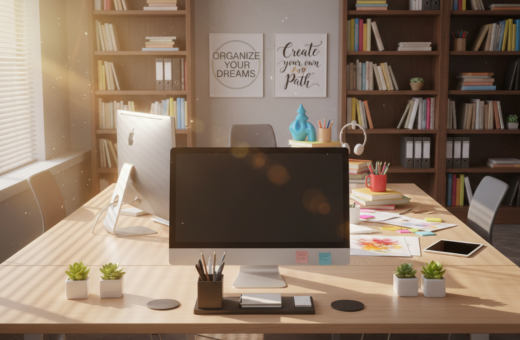
Many professionals find that a cluttered desk leads to a cluttered mind. This often reduces focus and raises stress during a busy workday.
This short guide moves past vague tips and gives specific, actionable ways to manage items and reclaim your space. It shows how a clean desk and a clear system can free up mental energy for high-value work.
Small changes in office layout, storage choices, and daily habits can cut the time spent hunting for tools and papers. That saved time adds up and supports long-term career growth.
Key benefits include fewer visual distractions, a professional atmosphere, and a reliable organization method that helps people stay focused. The next sections explain practical steps to set up that system and keep it working.
The Connection Between Workspace and Productivity
When a workplace is arranged for ease, focus and flow follow quickly. A clear surface reduces the minutes spent searching for tools and papers. That reclaimed time makes it easier to finish important tasks.
A tidy office desk helps cut mental friction. By giving every item a set place, people avoid the small interruptions that break concentration. This form of desk organization lowers stress and supports steady work throughout the day.
Research shows that fewer misplaced items frees up time for meaningful projects. Remote staff and office workers both benefit from keeping a clean work area. When unnecessary things are removed, creative thinking improves and complex problems become simpler to approach.
- Reduce time lost to searching by assigning a home for each tool.
- Start the day with less stress and clearer goals.
- Invest a little daily time and gain long-term gains in output.
Implementing the One-Touch Rule for Daily Efficiency
Deciding the fate of an item the moment it arrives prevents backlogs and saves minutes each day.
The One-Touch Rule asks that a person decide what to do with an item when they pick it up. Popularized by David Allen, this approach cuts delays and lowers decision fatigue.
Handling Incoming Mail
For mail and papers, the rule is simple: file, delegate, or trash. Use labeled folders and containers so each document has a clear home.
Managing Quick Tasks
If a task takes less than two minutes, do it now. Small replies, signatures, or sorting actions handled immediately keep the office desk uncluttered and save time later.
- One-Touch prevents to-do piles by forcing choices on every item.
- Dedicated organizers and storage reduce the minutes spent searching for folders and files.
- Processing work in real-time improves overall efficiency and cuts mental clutter.
“The key is to decide as soon as the item arrives—act, file, or remove.”
Maximizing Vertical Storage Systems
Using vertical storage turns blank wall height into practical storage and frees up surface area. This approach reclaims horizontal room so people can focus more on work and less on clutter.
Small changes above the work area make a big difference. Install pegboards, narrow shelves, or wall-mounted organizers to hold supplies and small electronics. These add storage without expanding furniture footprint.
Utilizing Wall Space
Monitor risers lift the monitor to eye level and create hidden space for notebooks, pens, and a phone. Vertical trays keep paper and papers stacked upright so they do not spread across the surface.
- Pegboards and shelves increase usable desk space while staying compact.
- Drawers and wall-mounted organizers help categorize supplies for quick access.
- Stacked trays prevent papers from overflowing and keep the work surface clear.
“Think upward: every inch of wall is an opportunity to store essentials.”
For more practical installation ideas and storage tips, see this short guide on workplace storage solutions. Implementing a vertical system is especially helpful for small offices and supports a professional, functional desk setup.
Adopting a Digital-First Documentation Strategy
A digital-first filing habit turns piles of paper into a searchable, secure archive. This approach, popularized by Tiago Forte, reframes the desktop as a command center rather than a paper mill.
Scan first, save smartly, shred later. Using mobile apps like Receipts by Wave makes it simple to capture invoices and receipts the moment they arrive. Then remove the original to cut physical clutter and reclaim surface space.
Use a consistent naming convention (for example: 2024-10-28_AcmeCorp_Invoice.pdf) so files are instantly searchable. Mirror a clear folder hierarchy on the computer to reflect how people used to file papers.
- Store key documents in a cloud service for remote access and backup.
- Keep the desktop minimal by saving short-term items into dated folders.
- Apply a single system for files and folders so finding a document takes seconds, not minutes.
“A reliable digital system reduces clutter, saves time, and supports a professional office.”
Mastering Zone-Based Organized Desk Productivity
Splitting a workstation into clear zones cuts wasted motion and keeps focus on the task at hand.
Defining the Primary Zone
The primary area should hold only the essentials: keyboard, mouse, monitor, and the single project currently active.
Keep the computer and monitor centered so reach is natural. This reduces small interruptions and speeds up task flow.
Setting Up Secondary Areas
Secondary space is for frequently used items such as pens, notepads, and a small organizer with supplies.
Use containers and an easy-access tray so these items stay visible but do not crowd the desktop.
Managing Tertiary Storage
Tertiary storage houses reference materials and bulk supplies that are not needed every hour.
Store these in drawers or on a nearby shelf. Label containers so finding an item takes seconds, not minutes.
- Primary zone supports focused work near the monitor and keyboard.
- Secondary areas keep everyday tools within easy reach using organizers and small containers.
- Tertiary storage clears surface space by moving seldom-used items into drawers or shelves.
“A well-planned zone system ensures each item has a home based on how often it is used.”
Establishing a Daily Reset Routine
A short end-of-day routine can erase the chaos and set a calm tone for tomorrow. They spend the last 5–10 minutes tidying the surface and preparing the next day’s plan.
Clear the surface, plan the priorities, and leave the office ready to start.
Core steps include a quick sweep of loose items, filing important documents, and listing the top three tasks for the morning. This simple system reduces morning stress and saves time when work resumes.
- Spend 5–10 minutes each day to sort and put away items.
- File any loose documents so nothing piles up overnight.
- Write your top three tasks to focus faster at the start of the day.
- Keep the space clear to avoid clutter and interruptions.
“A brief nightly reset is the easiest habit for keeping desk areas ready and calm.”
Embracing a Minimalist Desktop Approach
A minimalist desktop keeps only essentials within reach, so work feels intentional rather than chaotic.
Inspired by Marie Kondo, this method asks people to let go of items that do not spark value for the day. Only tools used daily should stay on the surface.
Invest in hidden storage and shallow drawers to tuck supplies and monitor accessories away. A clamp-on desk lamp saves desk space and keeps the desktop clear. Good cable management and compact organizers finish the look.
- Less visual clutter helps focus on one task at a time.
- Drawers and hidden storage keep supplies and spare items out of sight.
- A clamp-on desk lamp and tidy cables free valuable desk space.
- Regularly evaluate what earns a spot so the surface stays purposeful.
“A minimalist approach makes the workspace serve work, not store it.”
Optimizing Drawer Storage and Internal Organization
Smart drawer layouts stop the junk-drawer effect before it starts.
Start by fitting each drawer with internal organizers and adjustable dividers. This creates a clear home for pens, clips, cables, and small tools so items are easy to find.
Use small containers for loose supplies and a shallow tray for current papers or a single folder to hold an active file. Reserve one drawer for computer accessories and monitor cables so the desktop stays free for core work.
- Assign categories: writing tools, tech, paper, and reference folders.
- Use dividers to make custom sections for clips, chargers, and cables.
- Label containers or drawer faces so locating an item takes seconds, not minutes.
- Clear drawers quarterly to remove extra supplies and expired materials.
“When every item has a designated place inside drawers, wasted time searching disappears.”
Essential Ergonomic Accessories for Your Setup
Small accessories can make a major difference in comfort and safety while working long hours.
Start with proper cable management to cut hazards and visual clutter. Use cable clips, ties, and a simple box to route cords under the table. That keeps the surface clear and reduces the risk of trips.
Ergonomic items are the next priority. A sturdy monitor stand raises the screen to eye level and eases neck strain. A compact desk lamp gives focused light without using too much space.
- Implement cable management to prevent tangles and protect equipment.
- Use clips and ties to bind cords and make moving the computer easier.
- Choose a monitor riser to support posture and reduce fatigue.
- Pick a slim desk lamp that lights tasks and frees storage for supplies.
When cables and tech items are neatly routed, the office looks more professional. This simple system helps keep file and supply areas functional and makes daily upkeep faster.
“Proper cable routing is a small step with big returns for safety and comfort.”
Conclusion
Consistent habits around papers, computer files, and storage reduce daily friction and wasted minutes. ,
They create a clear space that supports focused work and cuts stress. By managing documents, folders, and the computer archive, a user can keep the desktop free of unnecessary paper and items.
Maintaining this approach takes modest time each day but yields big returns in time and efficiency. For a concise research summary on workspace effects, see the supporting study.
Start small, stay consistent, and the office will serve the work—saving time and helping tasks get done.