Many workers lose minutes each day to slow typing and constant errors. They learn bad habits and never correct them. A clear guide to proper finger placement and a simple practice routine can change that in weeks.
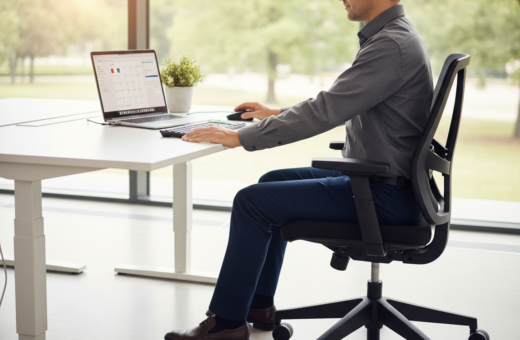
Small adjustments to posture and hand use cut strain and speed up work. Keeping the wrists relaxed and allowed to touch the tabletop reduces pain and lowers the risk of carpal tunnel syndrome. A normal screen distance of 45–70cm also helps prevent eye strain during long sessions.
When hands rest on the home row and each finger reaches its assigned keys, the hunt-and-peck habit ends. With steady practice, people learn touch typing and can type without looking. That change saves time, avoids fatigue, and makes daily tasks flow with less effort.
The Foundation of Proper Typing Finger Placement
Mastering the home row gives each hand a reliable anchor and cuts wasted motion across the keyboard.
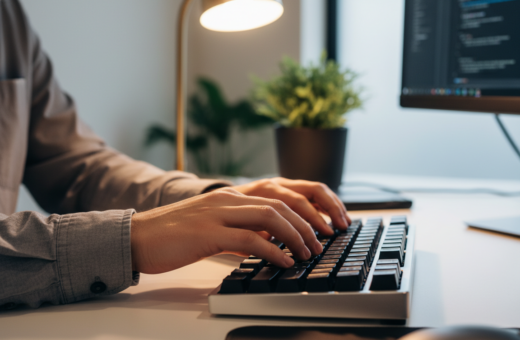
The home row is the central position where fingers rest between key presses. By keeping fingers on ASDF and JKL;, people make every key predictable and reachable.
Developing muscle memory lets hands return to the same spot without thinking. With consistent practice, the hands learn to type with steady rhythm. This reduces errors and raises speed — trained typists can hit 90+ WPM versus about 60 WPM for self-taught users.
- The thumbs control the space bar and balance each stroke.
- Neutral wrists prevent tension and long-term pain.
- Using the right finger for each key limits extra motion and saves time.
Finger placement training is simple but must be consistent. Over weeks, muscle memory turns effort into an automatic process. That shift helps people type with less strain and far better efficiency.
Understanding the Home Row and Tactile Guides
Two subtle bumps on the keyboard act like tactile landmarks for hand setup. They let users find the center row without looking and speed up learning to touch typing.
Locating the F and J bumps
The F and J keys have tiny raised marks so eyes can stay on the screen. Place your index fingers on F and J; the rest of your fingers should rest naturally on the home row.
Maintaining the Basic Position
Consistency matters. After you press a key, return your hands to the home row. This reduces wasted motion and improves speed.
“Using the bumps lets people orient their hands instantly and build muscle memory.”
- The left hand covers A, S, D, F; the right hand covers J, K, L, .
- Middle finger and index finger reach most keys; ring and pinky need extra practice.
- Keep thumbs ready for the space bar and always bring fingers home after each press key.
Mastering this simple routine lets them type with more accuracy and less strain, and it supports steady improvement toward true touch typing.
Mapping Finger Zones for Maximum Efficiency
Mapping the keyboard into clear zones helps each hand work with less effort and more speed.
Start by viewing the keyboard as grouped areas rather than individual keys. This helps learners build muscle memory and reduces visual reliance on the keys.
Assigning Keys to Left and Right Hands
Each finger gets a defined role. The index finger acts as a workhorse for central keys, while the middle and ring fingers cover nearby columns.
- The left index handles R, F, V, T, G, B; the right index covers Y, H, N, U, J, M.
- The pinky reaches edge keys, including modifiers and punctuation, and the middle finger supports the core columns.
- The thumb is dedicated to the space bar, giving a stable base as the other fingers move.
- Consistent zones shrink hand movement and directly boost speed by keeping hands near the home row.
Consistent practice of these zones locks the pattern into memory. Over time, hands return to the home position without thought, making input smoother and faster.
For a practical overview and visuals on how to place fingers and build that habit, see the finger placement guide.
Navigating the Transition from Hunt and Peck
Breaking the hunt-and-peck habit often requires two to three weeks of daily practice before results appear. It is normal for speed to fall at first. Over time, the brain builds new muscle memory and speed returns higher than before.
During the early phase, avoid looking at the keyboard even when progress feels slow. Use the bumps on the F and J keys to reset your fingers home on the home row. This small cue keeps hands in the right position and reduces wasted movement.
Every time someone presses a key, they should focus on using the correct finger for that key. That attention trains the index, middle, ring, and pinky to move with precision.
Expect discomfort in wrists and speed drops early on, but stay consistent. Many people see less wrist fatigue as erratic motions decrease. With three months of steady practice, hands typically reach and exceed prior speed levels.
“Patience and focused practice turn conscious movement into automatic touch typing.”
- Commit to daily short sessions to rewire muscle memory.
- Use bumps on F and J to bring fingers home when lost.
- Focus on each press key and the correct hand movement, not speed.
Ergonomic Benefits and Long Term Hand Health
Small ergonomic changes at the keyboard protect hands and keep speed steady over years. A focus on improving posture and distributing work across the fingers lowers daily strain.
Preventing Repetitive Strain Injuries
Even small adjustments matter. Using each finger for its assigned keys spreads the load. This reduces muscle tension and the risk of carpal tunnel syndrome.
Neglecting the pinky and ring finger puts extra stress on the wrist and middle finger. Over months, that tension can become chronic pain and limit speed.
Maintaining Proper Posture
Keep elbows near a right angle and the wrists neutral. Good posture supports long sessions and cuts fatigue over time.
“Distributing work evenly across all fingers prevents lasting damage and keeps hands working.”
- Even workload across fingers prevents excess wrist strain.
- Short, daily practice builds muscle memory and preserves speed.
- Balanced use of the pinky and ring finger reduces hand pain.
Investing time in finger placement is an investment in future health. People who apply these habits report fewer injuries and steadier performance over their careers.
Conclusion: Mastering Your Typing Workflow
Small daily routines make hands move predictably and cut the time spent finding each key. , A short, steady habit locks in muscle memory and raises speed without adding strain.
Mastering proper finger placement is the fastest route to a professional-level workflow. By returning fingers to the home row after each press, they build the muscle recall that supports true touch typing.
Practice in short sessions. Over weeks, hands hit the right keys more often and errors drop. For step-by-step drills and visuals, consult this touch typing guide.
Final note: With consistent effort, every hour spent refining finger placement gives lasting gains in comfort, speed, and daily productivity.