He shares a practical path that helped move practice from hunt-and-peck to confident touch typing. The MIT Technology Review notes some schools dropped formal lessons because they assume students already know how to type. This article shows a clear alternative approach.
Many people type around 40 words per minute, while touch typing often exceeds 75 WPM. By spending a small amount of focused time every day, he saw better accuracy and a steady rise in the number of words produced each minute.
Key habits made the difference: keeping hands in the proper position, using the right finger for each key, and looking at the screen instead of the keyboard. These steps build muscle memory and reduce common mistakes.
Readers who want practical tips can follow this guide and test progress with online exercises. For additional exercises and guidance, see essential practice tips and a sample routine at sample drills.
The Importance of Mastering Touch Typing
For many professionals, touch typing is the key skill that saves time and reduces errors. It turns keyboard work into a predictable, efficient task. That matters whether someone edits documents, codes, or transcribes interviews.
Professional transcriptionists and some typists reach 75 wpm or higher to meet tight deadlines. In fields like information technology, even one typo can break code or trigger system errors. So, accuracy is as important as raw speed.
- Less time spent on edits and corrections.
- Higher output per minute for heavy computer work.
- Better job prospects for those who can sustain 75 words per minute.
- Reduced physical strain from inefficient keying methods.
“Being able to type without looking at the keys is one of the simplest ways to lift daily productivity.”
This article explains why touch is the most efficient way to handle modern workloads and how strong skills pay off in the workplace.
Essential Ergonomics for Better Typing Speed
Good posture and desk setup make long keyboard sessions less tiring and more productive.
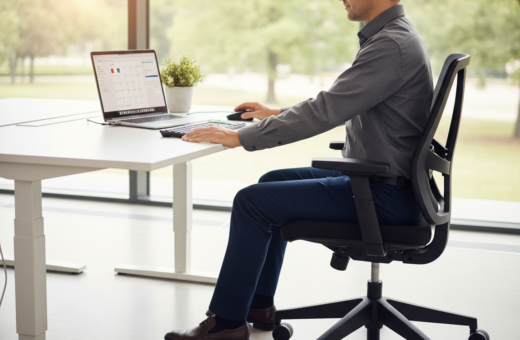
When someone sits at their computer, the back should be straight and supported. The chair height must let the elbows rest lightly on the table. This position keeps the shoulders relaxed and reduces neck strain.
Posture and Seating
Adjust the desk and chair so the forearms are parallel to the floor. Bent elbows at a natural angle help maintain steady hands. A centered keyboard, with the space bar aligned with the body, prevents twisting at the waist.
Hand and Wrist Positioning
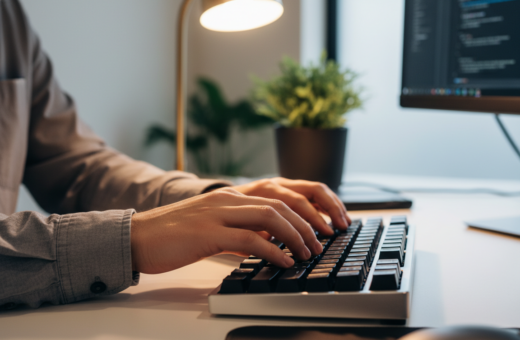
Keep wrists slightly elevated rather than pressed on the desk. This reduces pressure and helps the fingers reach every key without awkward stretches. Each finger should sit near its assigned row for quick access.
- Maintain straight wrist position to avoid fatigue that slows work later in the day.
- Align the space bar with the midline of the body to prevent wrist torque.
- Invest in a setup that keeps fingers close to the keys with minimal effort.
“Ergonomics lets practitioners focus on output and comfort, not pain and correction.”
How to Increase Typing Speed Naturally
A steady home row stance gives the fingers a reliable starting point to hit every key with confidence.
The Home Row Technique
The home row keys are A, S, D, and F for the left hand and J, K, L, and ; for the right hand. These positions act as a neutral base for every reach.
Always return fingers to the home row after pressing neighboring keys. This habit builds a consistent rhythm and trains muscle memory so the hands find keys without looking at the keyboard.
- Keep thumbs hovering over the space bar for fast, fluid spacing.
- Focus on the screen rather than looking keyboard keys to reduce mistakes and boost accuracy.
- Move each finger back to its starting position to preserve a steady tempo and cleaner output in wpm.
“Small, repeated motions from the home row form the backbone of professional touch typing.”
Practice in short sessions and prioritize correct keying over raw pace. With steady effort, fingers map the layout and one can type faster with fewer errors over time.
Building Muscle Memory Through Consistent Practice
Short, focused practice sessions are the fastest route to reliable muscle memory for everyday keyboard work.
Daily habits matter more than long, infrequent stretches. He found that 15–30 minutes a day trained his fingers to land on keys without thinking. Small, steady practice keeps accuracy high and improves wpm over time.
Daily Routine Benefits
A compact routine fits into any schedule. Practicing a few minutes before work primes the mind and hands. This steady approach reduces errors and makes work feel smoother.
Utilizing Free Online Tools
Websites like Keybr, Ratatype, TypingClub, and The Typing Cat offer focused exercises and lessons. These tools guide finger placement with drills that build muscle memory and maintain engagement.
Tracking Your Progress
Measure results with a weekly test. Record wpm and accuracy to see real gains. Seeing clear data keeps one motivated and helps set the next practice goal.
- Practice for 15–30 minutes every day to form steady habits.
- Use structured exercises on free platforms to train correct finger use.
- Take regular tests to track wpm and accuracy and to spot weak keys.
“Consistency is the key; small, daily effort builds lasting skill.”
Common Mistakes That Hinder Your Progress
Minor mistakes compound into big roadblocks for anyone training their fingers to hit the right keys.
Looking down at the keyboard prevents muscle memory from forming. When the eyes focus on the keys, hands follow old habits and the path to reliable touch typing slows.
Poor posture and an awkward computer setup cause fatigue. Tired hands make more errors and reduce accuracy, which hurts wpm and overall progress.
- Not using the right keys with the correct finger leads to persistent errors and stalled progress.
- Skipping regular practice or rushing exercises trades short-term pace for long-term problems.
- Failing to return the hands to the home row or resting wrists on the desk creates strain and slows recovery.
- Distracted typists or unfamiliar equipment can undo gains; maintain focus and consistent position.
He should watch the screen to spot typos as they happen and keep the thumbs near the space bar to support rhythm. By removing these common mistakes and following steady practice, a higher level of performance and better wpm come faster.
“Small corrections in posture and focus deliver the biggest wins in methodical keyboard work.”
Conclusion
,Solid hand habits turn routine keyboard tasks into faster, less error-prone work.
He found that short, focused practice each day made the most difference. Small drills and simple exercises trained his fingers to hit keys while he watched the screen.
Mastering touch typing saves time at work and helps one type fast with fewer mistakes. With steady effort, the level of words per minute and overall typing skills rise, opening more opportunities in school and the workplace.