Creating a well-balanced desk setup turned a cramped corner office into a calm, efficient workspace. They chose a few thoughtful items—like a Herman Miller chair, a Logitech mouse, and an Anker hub—that made a real difference.
The goal was simple: reduce clutter and shape an inviting desktop environment that supports daily work. Small gadgets and one smart accessory at a time helped improve comfort and focus.
A tidy home office feels more professional and easier to maintain. When the workspace is organized, tasks on a laptop flow better and energy stays high through the day.
These additions are practical, fit the available space, and reflect personal style. They help reclaim the office and make each work session more comfortable and effective.
The Foundation of a Productive Workspace
A clear desk gives the day a clear direction. A tidy surface creates space for focused tasks and quick decisions.
Establishing a productive workspace starts with a clean desk setup that leaves room for essential tools and daily notes. A dedicated home office area helps separate work and personal time, which boosts routine and calm.
Keeping items within arm’s reach saves steps and mental energy. When a desk is clear, someone can dive into work without the drag of clutter.
- Set a minimal layout so each item has a purpose.
- Use simple organizers to group pens, chargers, and papers.
- Commit to a five-minute tidy at the end of each day.
Good organization builds a steady routine and supports long-term productivity. A smart workspace helps maintain focus and steady progress toward goals.
Essential Keyboard Accessories for Productivity
Upgrading core input tools quickly changed how tasks flowed across the day. A small change to the desk can reduce strain and sharpen focus. Better gear limits distractions and improves the overall office feel.
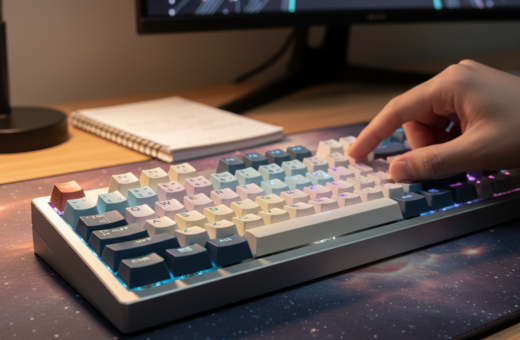
The MX Keys Mechanical Keyboard offers a low-profile design and a quiet typing experience. It fits the desk setup and feels great under the hands. After 16 years on poor hardware, this upgrade made long work sessions easier to manage.
Precision Mice
The MX Master 3 mouse delivers custom options that speed common workflows across a laptop and a desktop. Its ergonomic design reduces wrist tension and boosts comfort during long edits or heavy navigation.
- Low-profile keys prevent fatigue and keep attention on tasks.
- Matched input pairings let users switch between devices without delay.
- Quality devices turn a simple desk into a professional workspace.
Ergonomic Upgrades for Long Hours
Small ergonomic shifts can change how long someone stays comfortable at their desk. These upgrades focus on posture, comfort, and usable desk space during a long work day.
Monitor Stands
Using a monitor stand is a critical ergonomic upgrade that helps maintain proper posture during long hours of focused work. By lifting the monitor to eye level, it reduces neck strain and makes sitting less tiring.
Elevating the screen also frees desk space for other essential office tools. A clear surface makes the workspace neater and helps one stay engaged through the day.
- DeltaHUB Desk Pad protects the natural wood surface and adds durability to the home office setup.
- A well-positioned monitor stand gives room beneath the screen for a laptop or documents, improving desk space.
- Proper monitor placement extends how much time someone can spend at the desk before needing a break.
These ergonomic upgrades aim to provide long-term comfort so tasks get done without physical pain. Optimizing the setup this way supports health and better work performance.
Mastering Cable Management and Desk Organization
Taming cables and small items is the quickest way to make a workspace feel intentional and calm.
Cable Boxes: The Ultimate Cable Management Box is a formed-steel solution with grommet pass-throughs that hides bulky power strips and routes power neatly. It protects cords and improves the overall design of the desk.
Pencil Drawers: A swivel pencil drawer stores pens and small gadgets out of sight. It saves time when reaching for tools and keeps the desktop clear and ready for tasks.
File Organizers: Using a compact file organizer turns paperwork into a manageable queue. Files stay sorted, and the desktop no longer doubles as long-term storage.
- Hide power strips: the cable box keeps the desk setup clean and professional.
- Save time: the swivel drawer reduces searching for small gadgets and pens.
- Keep focus: effective cable management removes visual clutter and improves workspace style.
- Use trays: small trays or drawers keep the desktop clear for priority work.
A well-planned management system under and on the desk makes the most of space and supports a lasting, efficient setup.
Optimizing Your Lighting Environment
Good lighting changes how the whole office feels at the start of each work day. Proper illumination reduces eye strain and helps the mind stay on task.
Task lighting matters. A high-quality monitor light bar like the BenQ Monitor Light Bar is a top pick because its wireless puck makes quick adjustments simple. The puck lets someone change color temperature and brightness without touching the desktop or monitor bezel.
The right lamp produces even, glare-free light that keeps the screen readable and surfaces easy to scan. This improves the quality of each work session and helps maintain focus over long stretches of time.
- Good task light cuts eye fatigue when working late into the day.
- A monitor light bar gives balanced illumination without screen glare.
- Adjustable lamps let users match light to the hour and the task.
Optimize light settings to create a calm environment that supports steady work. Small changes in lighting can make the desk feel inviting and sustain concentration through the day.
Enhancing Comfort with Personal Climate Control
Controlling the immediate air around your workspace makes every work session more pleasant. Maintaining a steady temperature in the home office is a simple change that affects focus and energy.
They use a compact fan in warm months and a small ceramic heater in winter. These devices keep a personal microclimate at the desk so nothing interrupts a flow of work.
Practical benefits
“A stable personal temperature removes a major daily distraction.”
- Stay focused: less time shifting or pausing to cool down or warm up.
- Save energy: heating or cooling just the immediate area instead of the whole room.
- Simple upgrades: a well-chosen fan or heater are small accessories that yield big comfort gains.
Conclusion: A thoughtful desk setup that includes personal climate control improves comfort and helps sustain energy through the day. Investing in quality devices is a low-cost way to support long-term work success.
The Role of Monitor Arms in Modern Setups
A flexible monitor arm transforms a crowded desk into a clean, ergonomic command center. The RA Monitor Arm features aluminum construction and built-in cable management, making it a solid choice for a refined desk setup.
They allow precise monitor height and angle adjustments so users can work with better posture. Mounting screens on an arm reclaims valuable desk space that bulky stands would occupy.
Ideal for multi-monitor workflows, these arms keep several monitors aligned and easy to reposition. The built-in cable routing hides cords and supports neat cable management across the workspace.
- Adjustable height: positions monitors to reduce neck strain.
- Desk space saver: frees desktop area for other tools or a laptop.
- Clean management: integrated cable channels keep the office tidy.
“A reliable monitor arm is one of the best upgrades to ensure screens stay correctly positioned.”
Whether using a laptop or a desktop, investing in a quality monitor arm upgrades the setup and protects long-term comfort at the desk.
Maintaining a Clean and Hygienic Desk
A tidy surface makes daily tasks easier and keeps distractions to a minimum.
Keeping the desk clean is vital to a healthy workspace and steady work flow. Small habits protect gear and help preserve the life of key items in the setup.
Quick tools matter. The ODISTAR Desk Vacuum removes crumbs and dust from the desk surface and felt mat in seconds. It makes short cleanups painless and fast.
Rolling smoothly helps too. Replacing standard casters with Rollerblade Wheels lets the chair glide across hard floors and carpet. That improves mobility and adds real comfort during long sessions.
- Health: a clean environment lowers allergens and keeps the workspace pleasant.
- Longevity: regular cleaning extends equipment life and reduces repairs.
- Focus: less visual clutter speeds task switching and saves time.
“Small maintenance habits pay off in comfort and efficiency.”
Integrating Technology for Seamless Connectivity
A few well-chosen tech pieces can turn scattered gear into a single, easy-to-use system.
USB Hubs
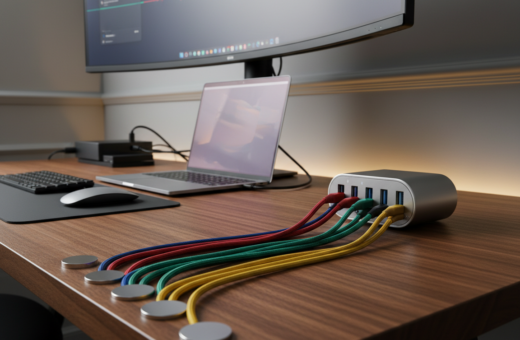
A high-quality hub is the ultimate solution to connect a keyboard, mouse, laptop, and other devices without constant swapping. It keeps cables neat and centralizes power and data. They rely on a compact hub to manage cable and device management and keep the desk clutter-free.
Noise canceling headphones block distractions and let someone focus for long hours. A good pair offers clear sound and comfort during extended work sessions. They make meetings and deep work easier whether at home or in a busy office.
“A reliable hub and solid headphones change how a workspace feels and functions.”
- Integration: hubs and headphones work together to support multitasking across monitors and a desktop.
- Order: centralized ports cut cable chaos and streamline device use.
- Focus: noise control keeps attention on each task and reduces interruptions.
Conclusion
A thoughtful final step is to shape the desk into a place that supports daily work and well-being.
Transforming a desk into a calm, efficient workspace improves daily life and career focus. By choosing the right desk accessories, someone can match style with function and meet professional goals.
Small changes matter. A better lamp or balanced light reduces eye strain and keeps attention steady. Organized trays and cable routing make the setup feel intentional.
Start by noting major distractions and address them with simple design choices. For practical ideas on essentials, see the guide to necessary desk accessories.