Achieving a clean, calm workspace starts with chosen items that serve clear purposes and enhance a professional look. In 2024, many workers select curated tools to turn their home work area into a hub of productivity and calm.
Every item on the surface should add to a streamlined aesthetic. Managing desk space well helps people focus on tasks without the visual drag of clutter.
When each piece supports function and style, the work area feels open and inviting. Experts note that a tidy environment can lift mood and sharpen mental clarity.
Investing in the right tools is the first step toward a sustainable, efficient work life. For a practical shopping guide, see this curated list of top items at top desk picks.
The Philosophy of a Minimalist Workspace
A clear workspace begins with choosing fewer, better items that serve a purpose. This idea—championed by designers in Manhattan and beyond—keeps the surface simple and functional. It helps people see what matters at a glance.
Creating a functional office space means selecting pieces that add value. They should earn their place by improving comfort, workflow, or appearance.
Reducing visual clutter also lowers distractions during important video calls and daily tasks. An organized home office supports focus and preserves energy across a busy week.
Only keep items within reach that see daily use. This habit makes the work area easier to maintain and keeps the space ready for deep work.
A well-designed workspace reflects a professional identity while offering a calm backdrop for creativity. For practical inspiration on arranging a pared-back work area, see this guide at minimalist desk ideas.
Essential Minimal Desk Accessories for Office Productivity
Right-sized tools and tidy placement turn a surface into a focused work zone. A few targeted items can boost comfort and cut distractions.
Monitor Stands
A good monitor stand raises the screen to eye level and reduces neck strain. It also creates room beneath for a laptop, a paper tray, or a wireless keyboard when not in use.
Choosing a sturdy monitor stand helps keep the desktop clear and provides a dedicated place for essentials.
Cable Management Tools
Neat cabling is crucial to a calm workspace. Simple clips, sleeves, and a quality power strip can hide wires and improve the overall look.
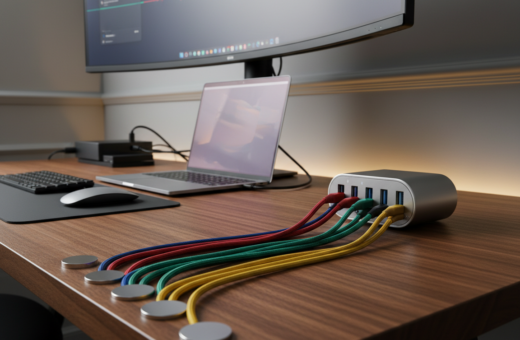
- Genki Moonbase power strip — priced at $140, it blends style with powerful charging and protects devices.
- Use cable organizers and under-rail trays to route chargers, phone cords, and laptop cables.
- Swap to a wireless keyboard and mouse to save surface space and reduce visible cables.
Storage solutions like paper trays and small organizers keep pens and sticky notes in one place. Together, these items form a practical set of products that help keep desks tidy and efficient.
Elevating Your Monitor for Better Ergonomics
A simple change in monitor height can reshape how someone sits and works through the day. Raising the screen is an easy way to reduce strain and improve posture during long periods at the desk.
Benefits of Riser Height
The Quartet Desktop Glass Monitor Riser, available at $75, is a practical choice to raise a monitor to eye level.
- Better posture: Elevating the monitor helps keep the neck neutral and prevents forward tilt.
- Extra space: A sturdy stand creates usable space underneath to store small items and keep the work space clear.
- Clean design: Many glass risers add a modern design touch while supporting long-term physical health.
- Improved focus: Positioning the screen correctly reduces discomfort, so they can concentrate more on tasks.
Ergonomic accessories such as a quality monitor stand are a smart investment in comfort and efficiency at the desk.
Mastering Cable Management for a Clean Look
Taming cables is the fastest way to clear visual clutter and improve daily focus at the workspace. Simple habits cut the tangle of wires that build up near plugs and power strips.
Use clips, sleeves, and under-rail trays to route cables out of sight. Bundling cords together makes a workspace neater and gives more usable space on the surface.
Hide power bricks and keep paper, pens, and sticky notes within reach so attention stays on tasks, not chaos. A consistent system helps keep desk areas tidy over time.
- Group like cables: power with power, data with data to reduce confusion.
- Label ends: quick identification saves time when unplugging devices.
- Use Velcro straps: they are reusable and keep wires compact.
“A few thoughtful tools make cable management a simple habit that improves the look and function of any workspace.”
When cables are managed well, the place feels professional and inviting. That clarity helps people work with less stress and more focus.
Choosing the Right Desk Mat
A well-chosen mat anchors other items and preserves the main work surface from daily wear. It protects against scratches and spills while giving a clear boundary that defines the workspace.
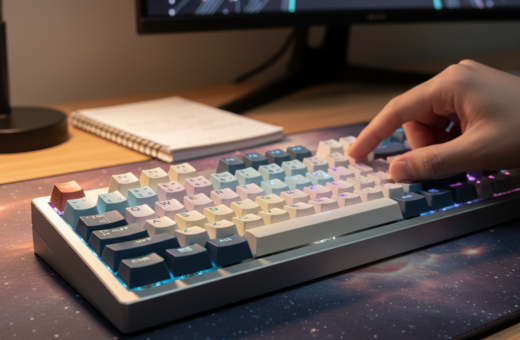
A high-quality mat creates a smooth surface for a mouse and improves precision and comfort during long tasks. Many professionals say a single mat pulls the whole setup together and makes the space feel intentionally designed.
Durability matters: choose materials that resist stains and hold shape over time. A durable mat is one of the most versatile desk accessories available and pays back its cost by protecting furniture.
- Protects: shields the primary surface from daily damage.
- Defines: creates a tidy boundary that helps keep items organized.
- Personalizes: adds subtle style to the office without clutter.
“Integrating a mat is a simple way to elevate a workspace—small items can have a big impact.”
Multifunctional Lighting Solutions
The right light adjusts to the task and keeps devices charged at the same time. This combination makes a single item a smart part of any tidy work space.
Adjustable Brightness
Adjustable brightness lets someone set warm or cool tones and change intensity quickly. That helps reduce eye strain during long sessions and keeps the surface comfortable at night.
Many modern lamps include multiple presets and touch controls so users can match light to the task.
Built-in Charging Ports
A lamp with built-in USB or wireless ports offers a convenient way to power a phone while keeping the cable count low. Fewer cords on the surface makes the whole space feel cleaner.
Combining lamp and charger saves room and ensures devices are ready when needed. It is an efficient way to optimize a small area in a home office.
- Benefit: reduces visible cable clutter and keeps essentials at hand.
- Benefit: improves task lighting and supports long hours of focused work.
- Benefit: modern designs complement the rest of the setup without adding bulk.
“A multifunctional lamp that blends lighting and charging simplifies a workspace and supports daily productivity.”
Smart Storage for Small Office Supplies
Smart, compact storage turns scattered supplies into a system that saves time and clears surface clutter.
Julie Dykema of The Container Store recommends clearing inventory to truly maximize desk space. She advises removing duplicates and items rarely used.
Use drawer organizers and small trays to keep pens, sticky notes, and chargers in one place. A tidy arrangement makes it simple to find phone or notes when needed.
A monitor stand with built-in drawers serves two goals: it raises the monitor to a better height and hides daily products beneath the screen.
- Group small items by use so they return to the same place.
- Choose modular organizers that fit the available space and scale with needs.
- Hide cables and extras to keep the workspace calm and efficient.
“Clear inventory and smart containers turn a cluttered surface into an inviting, productive place.”
Good storage solutions help any home office keep a professional look while they maximize desk space and speed up daily tasks.
Wireless Peripherals to Reduce Clutter
Switching to wireless peripherals clears the surface and lets movement feel natural during long tasks. It is an effective way to reduce cable clutter and make the workspace feel open.
Wireless Keyboard and Mouse
Wireless input devices let someone move freely and adjust posture without being tethered to a cable. That comfort often improves focus and reduces strain over a full workday.
Removing cables also creates a cleaner space and reduces visual distraction. Many professionals pick wireless gear to keep the desk surface clear and more inviting.
- Less cable clutter: eliminates long cords that cross the surface and draw the eye.
- Improved mobility: users can sit back, shift, or share a keyboard without unplugging.
- Enhanced aesthetics: a tidy setup supports a professional look while keeping phone and lamp charging neat.
“Investing in high-quality wireless products enhances both the function and the look of a workspace.”
Choosing reliable wireless models is a smart move in any home office. It keeps the space orderly and supports efficient, focused work.
Maximizing Desk Space with Vertical Storage
Using vertical solutions transforms underused height into practical storage. This approach helps keep desk space clear and makes office space feel larger.
Laptop Stands
Laptop stands lift the screen to eye level and create room underneath for trays or a keyboard. They improve posture and give a clean look to the workspace.
All-in-One Charging Stations
An all-in-one charging station acts as a central hub for phone, tablet, and other devices. It reduces cable clutter and keeps chargers and wires tucked neatly in one place.
Tip: choose a station with integrated USB ports and a slot for a lamp or monitor to save surface area.
Adjustable Desk Risers
Adjustable risers add vertical storage while letting the user change height as needed. Use them to stack organizers that hold pens, sticky notes, and small tools.
- Benefit: more usable space under screens and stands.
- Benefit: improved cable management when chargers are centralized.
- Benefit: better design and a professional look on busy desks.
Result: smart storage solutions and the right stand help keep the workspace tidy and maximize desk space every day.
Creating a Cozy and Inspiring Environment
Thoughtful lighting and simple decor transform a work surface into an inspiring place to create. A warm desk lamp casts soft light that eases eye strain and makes late sessions feel calm.
Whitney Leigh Morris highlights that a compact, beautiful workspace should also stay functional. Adding a small plant or a framed photo gives the area personality without cluttering the surface.
A tidy desk layout supports paper tasks and phone calls by keeping essentials within reach. The right lamp boosts mood and helps with focused work on important documents.
- Choose warm, adjustable lighting to match time of day.
- Add one personal item to make the space inviting.
- Keep storage simple so the workspace stays organized.
“A cozy office environment helps people stay creative and productive.”
By selecting a few purposeful pieces, anyone can craft a calm home office that reflects personality and supports long-term success.
Conclusion
A tidy workspace starts with deliberate choices that save time and reduce distractions.
Designing a calm work area is a rewarding process that takes time and careful selection of the right desk accessories.
Using a good monitor stand and smart charging solutions helps maximize desk space and keeps the area organized long term.
Keep paper to essentials and store extras out of sight so they do not interrupt focus. Small, consistent habits help people keep desk surfaces clear and ready to use.
Progressive Desk, based in Canada, offers tools that support a cleaner, more productive environment. With the right equipment, any professional space will better support daily goals and growth.